
In today's NetSuite guide, we’re going to discuss how to do bank reconciliation in NetSuite.
If the business is not currently using Bank Feeds feature for auto import of the bank transactions in NetSuite, bank reconciliation can start with importing them with CSV file.

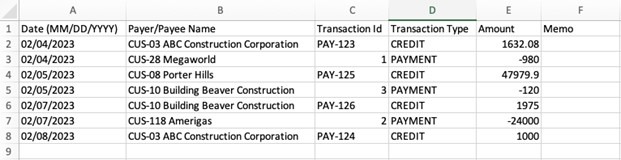
Select the bank account in the Account field. Click “Import”.

This upload status message will show to track the status. Click “Track your status” link.

If the import status shows “Failed”, check the reason, and update the CSV template.
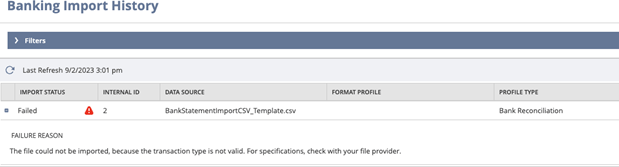
If the import status shows “Completed”, the upload was successful and can proceed with the reconciliation.

On the NetSuite Match Bank Data page, you can compare bank lines and account transactions imported into NetSuite. Navigate to Transactions > Bank > Match Bank Data.
You can take the following actions:

Select the Account to be matched. Review the matched bank transactions in the “Review” tab.
If you need to exclude the matched transactions, click the “Matched” link in the line, then pop-up will offer to undo the matching. Click “Undo Match”.

Click on the checkbox of each line to be matched. Click “Match” button.


Enter the required information such as payee, date, number, memo, amount, account, and dimensions of the entry.

Once done, the entry will show in Account Transactions. Click the checkbox and “Clear”.
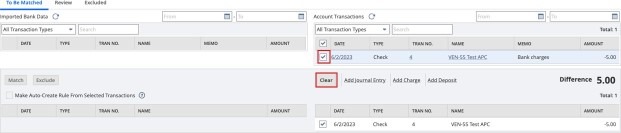

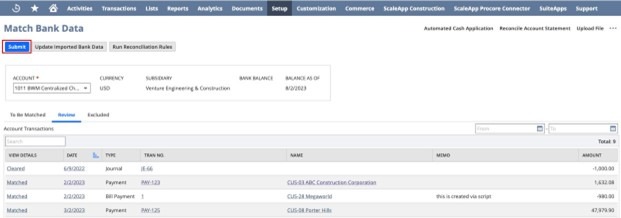
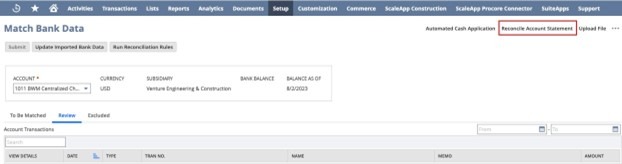
The Summary area will show how much different from the reconciliation. The goal is to have zero difference, but the reconciliation can still be submitted even with differences.

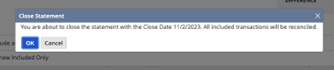
This pop-up message will appear to show the close date for the last reconciliation and its ending balance.
To generate the reports, navigate to Reports > Banking/Budgeting > Reconciliation > Detail. This NetSuite Bank Reconciliation Report can be generated and exported as csv, excel, word and PDF file.


Completing your bank reconciliation in NetSuite is crucial to guarantee that your cash balances are checked and balanced.
As a highly accredited NetSuite Solution Provider, ScaleNorth is well positioned to help you with the full scope of your NetSuite customization needs. If you require more NetSuite assistance, contact ScaleNorth today.


