

The Inventory Cost Template record in NetSuite can be used for items using the Standing Costing method to allow these items to have an additional cost on top of the item’s standard cost to purchase.
For example, an item can have a standard cost of $10. On top of this cost, the vendor charges a shipping cost to the item at say 10% of the material cost, which is then treated as a capitalizable cost of the item upon receipt. The Inventory Cost Template can be utilized in this scenario to record the $1 cost.
To use and associate an Inventory Cost Template with the above scenario, we can follow the steps below:
Enable the Landed Cost feature.
- Navigate to Setup > Company > Enable Features page > Items & Inventory tab > Inventory section > and mark the Landed Cost checkbox.

- Click Save.
Set up a Landed Cost category.
- Navigate to Setup > Accounting > Accounting Lists.
- Click New.
- Select Cost Category.
- In the Cost Category page, set a name for your cost category, e.g., Shipping Charge.
- Set Cost Type to Landed.
- Set the related expense account for this cost category.
- Click Save.
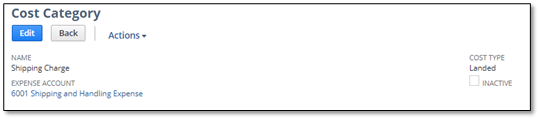
Create a Landed Cost item.
- Navigate to Lists > Accounting > Items > New.
- Select, e.g., Other Charge for Purchase.
- Set the name to e.g., Shipping Charge.
- Set the Cost Category field to the Landed Cost category created in #2 above.
- In the Overhead Type field, set it to % of Material.
- In the Purchase Price field, set this to e.g., 10.00. This is read as 10% of the material cost as the shipping charge for the item.
- Set the item’s expense account equal to the expense account used in #2 above.
- Click Save.
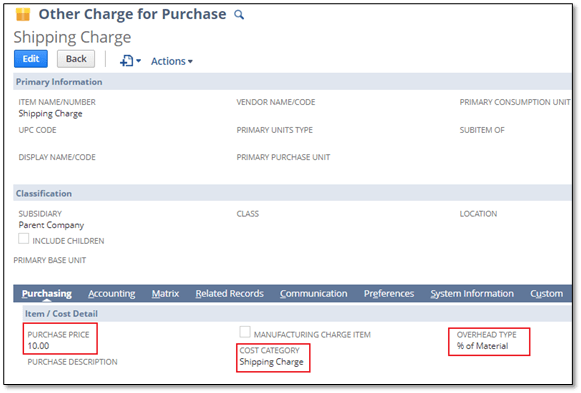
Create an Inventory Cost Template.
- Navigate to Lists > Accounting > Inventory Cost Template > New.
- Set a name for the Inventory Cost Template, e.g., Shipping Cost Charge @ 10%.
- Populate the Cost Category from #2 and the Landed Cost Item in #3.
- Click Save.

Associate the Inventory Cost Template with your item that uses standard costing.
- Edit the related item record.
- In the Purchase/Inventory tab > Location sub-list, populate the Inventory Cost Template created from #4.
- Click Save.

Perform a new standard cost roll-up.

Create a new inventory cost revaluation for the item.

Notice that the new unit cost is as $11.00, which is the Item Default standard cost of the item at $10.00 + $1.00 (10% of the $10.00 standard cost).
Create a Purchase Order for the item for 1 quantity.
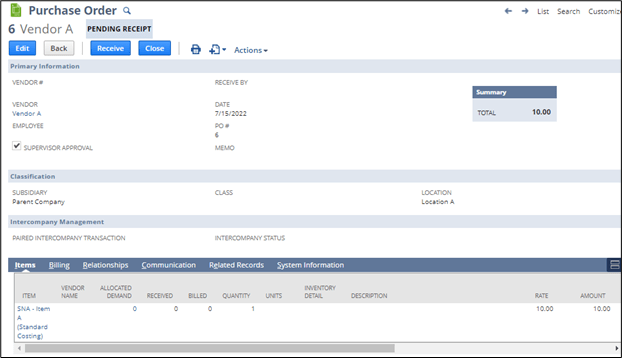
Receive the item.
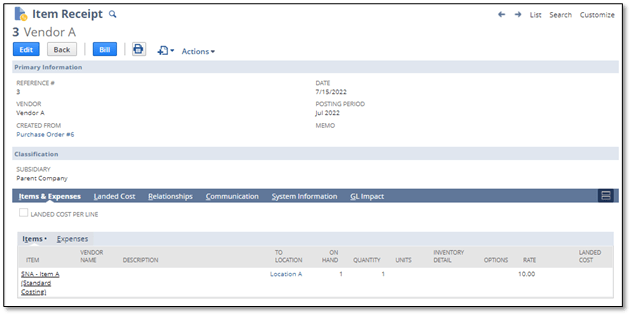

Notice that the GL impact of the Item Receipt recorded an increase or debit to the item asset account or item value at $11.00 ($1.00 + $10.00) and recognized an Accrued Purchase (payable) for the rate of the item.
A credit was also recorded at $1.00 for the Shipping Charge. This should be offset once a Vendor Bill is created for the shipping charge.
Wrapping Up
As a highly accredited NetSuite Solution Provider, ScaleNorth is well-positioned to help you with the full scope of your NetSuite customization needs. If you require more NetSuite assistance, contact ScaleNorth today.
Check out more Suite Guides:
- How to Partially Bill a Purchase Order with Expense Categories
- How to Set Up Outsourced Manufacturing in NetSuite
- How to Determine if a Native NetSuite Page is Scriptable
- How to Conduct The First Bank Reconciliation After Trial Balance Imports
- How to Show the Balances Per Month in The Consolidated Balance Sheet